Immersed Visor 8K VR Headset Setup Guide for xMonter
Immersed Visor 8K VR headset guide for xMonter. Configure dual 4K microOLED displays to stream 8K 60fps VR videos effortlessly with featherweight comfort and long-battery viewing configurations in...
In this article
Immersed Visor 8K VR headset guide for xMonter. Configure dual 4K microOLED displays to stream 8K 60fps VR videos effortlessly with featherweight comfort and long-battery viewing configurations in 2026.
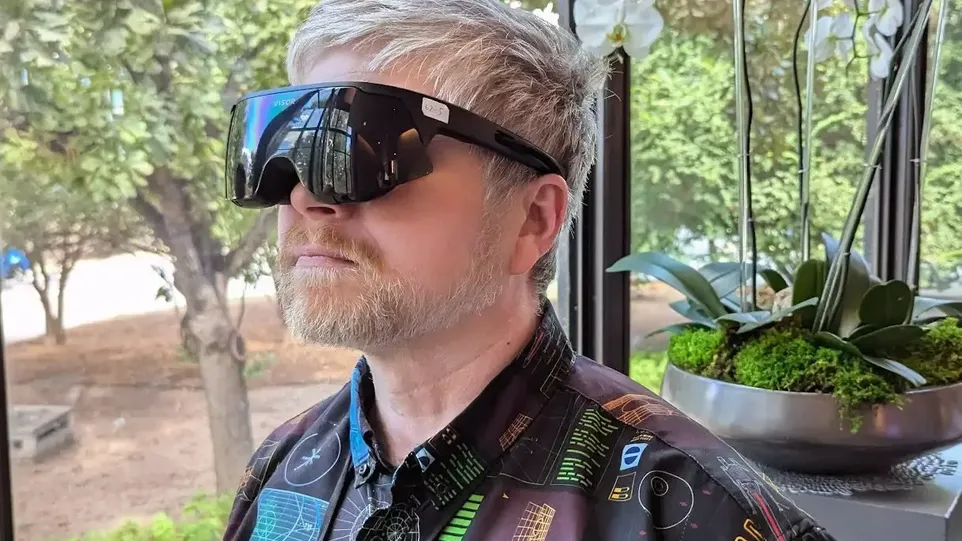
The Immersed Visor has captured massive attention across the virtual reality industry as an ultra-sleek, lightweight standalone headset built specifically around dual 4K MicroOLED panels. By offloading battery weight to a pocket battery pack, the Visor offers a glasses-like form factor that eliminates facial pressure. For adult VR enthusiasts on xMonter.com, the Visor delivers an ideal blend of high-density 4K optics and long-session viewing comfort.
Below is a setup guide to help you optimize the Immersed Visor for native 8K VR video streaming, custom fit adjustments, and WebXR browser playback.
Immersed Visor 4K VR Hardware & Playback Specifications
| Hardware Component | Immersed Visor 8K VR Configuration |
|---|---|
| Display Panels | Dual 4K MicroOLED (Per-Eye 3840x2160 Resolution) |
| Processor Chipset | Qualcomm Snapdragon XR2+ Gen 2 |
| Tracking System | 6 DoF Inside-Out, Hand Tracking & Eye Tracking |
| Battery Setup | Tethered 3-Hour External Battery Pack |
| Form Factor | Custom-Molded Glasses Style (< 200g Facial Weight) |
Optimizing Dual 4K MicroOLED Optics for xMonter
Because the Immersed Visor utilizes self-emissive MicroOLED panels, fine-tuning your video projection settings produces extraordinary clarity:
- Custom Face Scan Fit: Ensure your custom-molded light seal fits flush against your face to eliminate light leaks and maximize FOV.
- Enable 8K WebXR Mode: Open the Visor web browser, visit xMonter.com, and set the video stream quality to 8K (7680x3840).
- Color Profile Matching: In player settings, select sRGB / HDR Cinema Mode to take advantage of MicroOLED's deep black contrast ratios.
Frequently Asked Questions (FAQ) About Immersed Visor 8K VR Setup
Why is Immersed Visor great for watching VR videos on xMonter?
Its featherweight design eliminates neck strain during extended viewing sessions, while dual 4K MicroOLED panels render skin tones and low-light scenes with incredible realism.
Can I stream 8K VR videos wirelessly on Immersed Visor?
Yes. Immersed Visor supports high-speed Wi-Fi 6E/7 streaming directly from xMonter.com.