How to Watch VR Porn on Pico 4: 2026 Guide
Learn how to watch VR porn on Pico 4 with DeoVR or PLAY'A, 8K streaming, local files, DLNA, 180° SBS settings, and playback fixes.
In this article
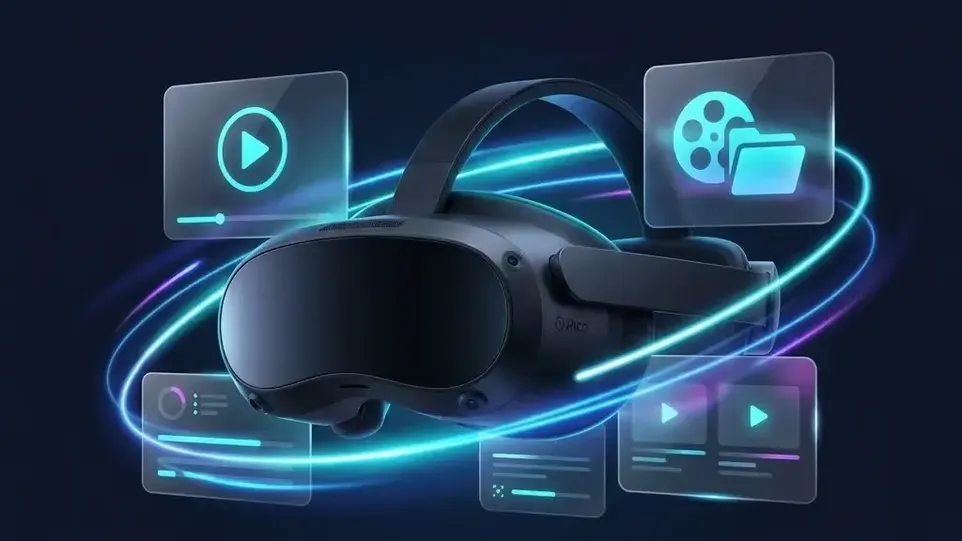
How do you watch VR porn on Pico 4? Set up the headset, install DeoVR or PLAY'A, then choose browser streaming, USB-C file transfer, or DLNA from a PC. The Pico 4 has a 2160 x 2160-per-eye display, 90Hz refresh rate, 105° field of view, and motorized IPD adjustment. This guide also covers 8K VR playback, projection settings, audio, toy synchronization, and common fixes.
Why Pico 4 suits VR adult content
The Pico 4 is one of the best headsets for VR adult content in 2026. Its 4K+ display, 90Hz refresh rate, pancake lenses, color passthrough, and low weight make it practical for longer viewing sessions.
| Feature | Pico 4 |
|---|---|
| Display | 2160 x 2160 per eye (4K+) |
| Refresh rate | 90Hz |
| Field of view | 105° |
| Weight | 295g, the lightest standalone headset on the market |
| Storage | 128GB / 256GB |
| Pancake lenses | Yes, with no god rays |
| IPD adjustment | Motorized, 62–72mm |
| Passthrough | Color passthrough |
| Price | ~$349, much cheaper than Quest 3 |
Pancake lenses remove the god rays and light bleeding found on older headsets. They give the image a clear, edge-to-edge look. At 295g, Pico 4 is the lightest standalone headset on the market, which helps reduce discomfort during longer sessions.
Set up Pico 4 in five minutes
- Hold the power button for 3 seconds.
- Download the PICO VR app on your phone and create a PICO Account.
- Follow the on-screen instructions to pair the headset with your phone.
- Draw your Guardian play boundary for safety.
- Use the slider on the underside of the headset to match your eye distance. Correct IPD is crucial for sharp, comfortable viewing.
Install DeoVR or PLAY'A
DeoVR
DeoVR is the recommended free VR video player, used by millions worldwide. It supports all major VR formats and resolutions up to 8K.
- Open the PICO Store on Pico 4.
- Search for DeoVR.
- Select Install. The app is free.
- Launch DeoVR from the app library.
PLAY'A VR Player
PLAY'A, developed by SexLikeReal, is another VR player for Pico 4. It provides smooth streaming, interactive toy sync, and a slick interface.
- Open the PICO Store.
- Search for PLAY'A.
- Select Install.
Some regions block adult-related apps. If DeoVR or PLAY'A does not appear in the store, sideload it with SideQuest, free PC software. Enable Developer Mode on Pico 4, then transfer the APK file.
Three ways to watch VR porn
Stream through the browser
Browser streaming is the fastest route and needs no local download.
- Open DeoVR on Pico 4.
- Use its built-in browser to visit xMonter.com.
- Browse popular videos, 8K content, or studios.
- Select a video. It will play in VR mode.
Use a 5GHz Wi-Fi network for high-resolution streaming. A 2.4GHz connection can buffer, especially with 8K video.
Copy files to the headset
Local playback removes streaming buffering and provides the sharpest possible image.
- Download VR videos to your computer.
- Connect Pico 4 to the PC with a USB-C cable.
- Open the headset as a storage device.
- Copy video files into the Movies folder.
- Open DeoVR, choose Local Files, and select the video.
One 8K VR scene typically uses 15–20 GB. Choose the 256GB Pico 4 model if you plan to keep files locally.
Stream from a PC with DLNA
DLNA fits viewers with a large PC library who do not want to transfer every file.
- Enable DLNA/media sharing through Windows Media Player or Plex.
- Connect the PC and Pico 4 to the same Wi-Fi network.
- Open DeoVR and find the PC under Network sources.
- Browse and play the files directly.
Fix playback settings first
Change H264 to H265
For choppy or laggy 8K video, open DeoVR's Playback Settings. Under Quick Settings, change the codec from H264 to H265 (HEVC). This improves performance with high-resolution files.
Choose the right projection
A flat image or missing depth usually means the projection format is wrong.
- Most VR porn: 180° SBS (Side-by-Side)
- Some older content: 180° OU (Over-Under)
- 360° scenes: 360° SBS
DeoVR normally detects the format. If the image still looks wrong, select the correct format manually in the playback panel.
Adjust IPD for blur or eye strain
If the image looks blurry or your eyes tire quickly, move Pico 4's physical IPD slider until the picture becomes sharp. Its adjustment range is 62–72mm.
Improve sound and room conditions
Headphones provide binaural 3D audio and spatial sound, placing the performer's voice and movement around you. Check the volume before changing playback settings.
DeoVR and PLAY'A support interactive toy synchronization with devices such as The Handy and Lovense. Scripted scenes can sync toy movement with on-screen action in real time.
A dark room reduces light leaking around the headset and helps preserve the image's depth.
Pico 4 or Meta Quest 3?
| Feature | Pico 4 | Meta Quest 3 |
|---|---|---|
| Price | ~$349 | ~$499 |
| Weight | 295g | 515g |
| Resolution | 2160 x 2160 | 2064 x 2208 |
| Lens type | Pancake | Pancake |
| App store | Smaller | Larger |
| Comfort | Better, due to lower weight | Good |
| VR porn experience | Excellent | Excellent |
Both headsets deliver an excellent VR porn experience. Pico 4 costs less and weighs less. Quest 3 has the larger app ecosystem. For watching VR porn specifically, Pico 4 is arguably the better value.
Fix common Pico 4 playback problems
| Problem | Fix |
|---|---|
| Video looks flat or has no 3D | Set projection to 180° SBS in the player settings. |
| Playback is choppy or laggy | Change the codec to H265 (HEVC). |
| DeoVR is missing from the store | Enable Developer Mode and sideload it through SideQuest. |
| Streaming buffers | Use 5GHz Wi-Fi or download the file locally. |
| Image looks blurry | Adjust the IPD slider and clean the lenses with a microfiber cloth. |
| No sound | Check the volume and try plugging in headphones. |
Find VR videos on xMonter
- Most Popular VR Videos
- 8K Ultra HD Videos
- Cosplay VR
- Passthrough VR (Mixed Reality)
- Top Pornstars
- All Studios
More xMonter guides