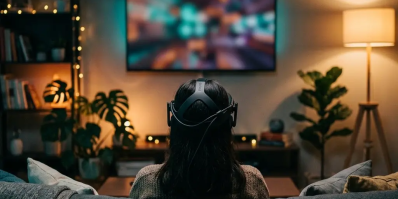
So you've heard about VR porn and you're curious — but you have no idea where to start. You're not alone. This is the most common question people ask when they first discover immersive adult content, and the answer is simpler than you think. This guide walks you through everything: which headset to buy, how to set it up, which apps to use, and how to optimize your experience for maximum quality.
No jargon. No assumptions. Just a clear, honest, step-by-step guide.
📋 Quick Answer: What Do I Need?
If you're in a hurry, here's the short version:
| What | Recommendation | Cost |
|---|---|---|
| 🥽 VR Headset | Meta Quest 3 (best value) or Quest 3S (budget) | $299–$499 |
| 📱 VR Player App | DeoVR (streaming) or Skybox (local files) | Free |
| 📶 Internet | 50+ Mbps for streaming, 100+ for 8K | — |
| 💾 Storage | 128GB+ if downloading (1 scene = 5–15GB) | — |
That's it. Total cost: $299–$499. No PC required. No wires. No tech degree.
Step 1: Choose Your VR Headset
The headset is the only hardware you need. In 2026, standalone headsets (no PC, no wires) are the standard. Here's how the main options compare:
🏆 VR Headset Comparison for Adult Content (2026)
| Headset | Resolution (per eye) | Lens Type | Price | Best For |
|---|---|---|---|---|
| Meta Quest 3 ⭐ | 2064 × 2208 | Pancake | ~$499 | Best all-around experience |
| Meta Quest 3S | 1832 × 1920 | Fresnel | ~$299 | Budget-friendly entry point |
| Pico 4 Ultra | 2160 × 2160 | Pancake | ~$599 | Non-Meta alternative, high FOV |
| Apple Vision Pro | ~3660 × 3200 | Micro-OLED | ~$3,499 | Best raw display quality |
Our recommendation: The Meta Quest 3 is the sweet spot for 95% of users. Pancake lenses give you significantly sharper image quality than Fresnel lenses (Quest 3S), which matters enormously when the content is literally inches from your eyes. The Apple Vision Pro has the best display, but its closed ecosystem makes accessing adult VR content much harder.
Why Lens Type Matters
| Feature | Pancake Lens | Fresnel Lens |
|---|---|---|
| Clarity | ⭐⭐⭐⭐⭐ Sharp edge-to-edge | ⭐⭐⭐ Soft at edges |
| God Rays | Minimal | Noticeable in dark scenes |
| Comfort | Thinner, lighter headset | Bulkier |
| Price | Higher | Lower |
Step 2: Set Up Your Headset
Once you have your headset, setup takes about 10 minutes:
- Charge it fully — Most headsets last 2–3 hours per charge
- Download the companion app — Meta Horizon app (for Quest) on your phone
- Create or link an account — You'll need a Meta account (tip: you can create a separate account for privacy)
- Set your Guardian boundary — Trace a safe zone on your floor so you don't walk into furniture
- Adjust the IPD (Inter-Pupillary Distance) — Use the slider to match the distance between your eyes. This is critical for sharp, comfortable viewing
- Update firmware — Always run the latest software for best performance
💡 Privacy tip: Create a separate Meta account specifically for VR. Use a dedicated email address. This keeps your VR activity completely separate from your personal social media accounts.
Step 3: Choose Your VR Player App
You need a VR video player to watch content. Think of it like choosing between VLC and Windows Media Player — except in VR. Here are the top 3:
| Player | Best For | Price | Key Feature |
|---|---|---|---|
| DeoVR ⭐ | Streaming | Free | Built-in streaming platform with massive library |
| Skybox VR | Local files | Free | Best for playing downloaded files, NAS/SMB support |
| HereSphere | Power users | $9.99 | Advanced depth calibration, autofocus, reduces eye strain |
Which Player Should You Choose?
- Just want to try VR porn right now? → Install DeoVR (free, works instantly)
- Want to download and watch locally? → Use Skybox VR
- Getting eye strain or want perfect depth? → Invest in HereSphere
Step 4: Find and Watch Content
There are two ways to watch VR porn: streaming and downloading.
Option A: Streaming (Easiest)
- Open DeoVR app or the built-in web browser on your headset
- Navigate to a VR porn site (e.g., xMonter.com)
- Browse and select a video
- The player will auto-detect VR format and switch to immersive mode
Pros: Instant, no storage needed, huge library
Cons: Requires strong Wi-Fi (50+ Mbps), quality depends on connection
Option B: Downloading (Best Quality)
- Download a VR video file (.mp4 or .mkv) to your computer
- Connect your headset via USB-C cable
- Transfer the file to the headset's internal storage
- Open Skybox VR and play the file
Pros: Maximum quality, no buffering, works offline
Cons: Large files (5–75GB each), requires transfer time
Streaming vs. Downloading: Quick Comparison
| Factor | Streaming | Download |
|---|---|---|
| Visual Quality | ⭐⭐⭐ Good | ⭐⭐⭐⭐⭐ Best |
| Convenience | ⭐⭐⭐⭐⭐ Instant | ⭐⭐⭐ Requires transfer |
| Storage Needed | None | 5–75GB per scene |
| Internet Required | Yes (50+ Mbps) | No (offline playback) |
| Buffering Risk | Yes | None |
Step 5: Optimize Your Experience
These tips will dramatically improve your viewing experience:
🎯 Video Settings
- Resolution: Always choose the highest available. 6K–8K is ideal for modern headsets
- Format: Look for "180° 3D" or "VR180" — this is the standard format for immersive VR content
- Codec: HEVC (H.265) files offer the best quality-to-size ratio
🏠 Room Setup
- Lock your door. Seriously. You won't be able to see your real surroundings
- Sit or lie on a chair/bed. Most VR porn is filmed in a seated/lying position
- Use headphones. Spatial audio adds enormous immersion — and privacy
- Good lighting if using passthrough mode (50+ lux recommended)
⚙️ Headset Optimization
- Refresh rate: Set to 90Hz for smooth playback (120Hz for gaming)
- IPD calibration: If the image looks blurry or causes eye strain, re-adjust your IPD. This is the #1 fix for discomfort
- Lens cleaning: Use a microfiber cloth. Smudged lenses ruin the experience more than low resolution
🛡️ Health, Safety & Privacy Tips
Eye Health
- Follow the 20-20-20 rule: Every 20 minutes, take a 20-second break and look at something 20 feet away
- If you experience persistent eye strain, headaches, or double vision, re-calibrate your IPD or try HereSphere (it has autofocus depth correction)
Motion Sickness
- Start with short sessions (10–15 minutes) and build up gradually
- If you feel nauseous, stop immediately. Don't try to "push through it"
- Avoid content with rapid camera movement for your first few sessions
- Keep a fan pointed at your face — airflow helps reduce motion sickness
Digital Privacy
- ✅ Create a separate VR account not linked to your real identity
- ✅ Use private/incognito browsing in the headset's web browser
- ✅ Disable telemetry in headset settings if concerned about data collection
- ✅ Use a VPN if you want to hide your activity from your ISP
- ✅ Store your headset securely when not in use (it has a browser history)
❓ Frequently Asked Questions
Do I need a gaming PC?
No. Modern standalone headsets (Quest 3, Quest 3S, Pico 4) work completely independently. No PC, no phone, no wires needed.
Is VR porn safe for my eyes?
Yes, with moderation. VR viewing causes no more eye strain than prolonged smartphone or monitor use. The key is proper IPD calibration and regular breaks. If you have pre-existing eye conditions, consult your optometrist.
Can anyone else see what I'm watching?
No. VR headsets are private screens — only you can see the content. However, be aware that casting to a TV/phone is usually enabled by default. Disable casting in settings for complete privacy.
What's the difference between 180° and 360° VR?
180° shows the front half of the scene in high resolution — this is the standard for VR porn. 360° shows a full sphere but at lower resolution per viewing angle. 180° is recommended for the best visual quality.
How much does VR porn cost?
Many sites offer free content to try. Premium sites typically charge $10–$40/month for access to full-length, high-resolution (6K–8K) scenes. Sites like xMonter offer free VR scenes to get started.
What's passthrough/mixed reality VR?
Passthrough uses your headset's cameras to show your real room, then overlays virtual performers into your actual environment. It's like augmented reality for adult content. Quest 3 has the best passthrough quality. Browse passthrough VR scenes on xMonter.
How big are VR porn files?
| Resolution | Typical File Size (1 hour) |
|---|---|
| 4K | 3–8 GB |
| 5K | 5–15 GB |
| 6K | 10–25 GB |
| 8K | 25–75 GB |