Bigscreen Beyond 2: 2026 VR Porn Setup Guide
Bigscreen Beyond 2 combines 107g weight, 2560x2560 Micro-OLED displays and 90Hz or 120Hz PCVR playback. Setup, streaming and downloads explained.
In this article
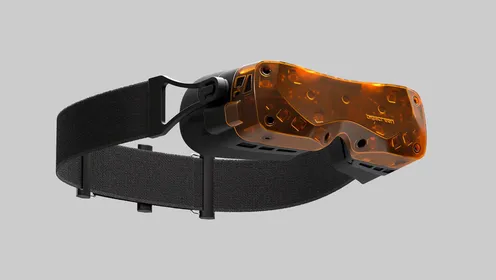
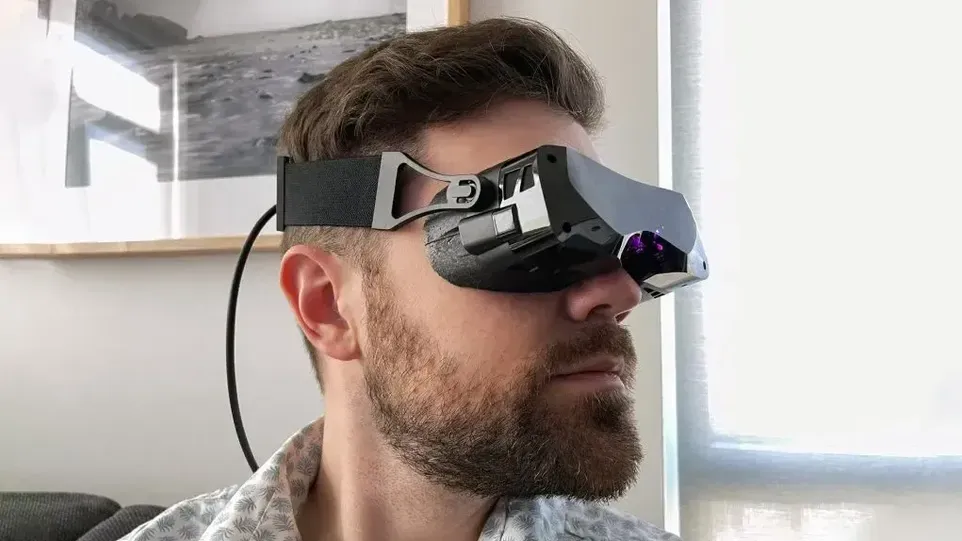
Bigscreen Beyond 2 is a 107g PCVR headset for seated, reclined and stationary VR porn viewing. Its 2560x2560-per-eye Micro-OLED displays, 90Hz native refresh rate and support for up to 120Hz in select modes suit high-resolution scenes. This guide covers hardware, pricing, streaming, downloads, Bigscreen VR setup and adult games.
Why Beyond 2 suits stationary viewing
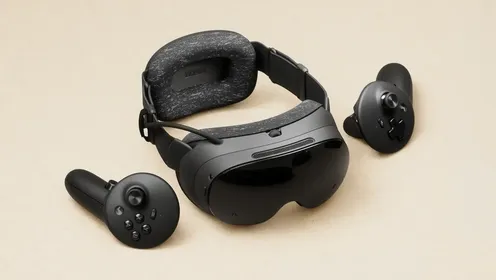
Bigscreen Beyond 2 has officially landed as the successor to the world's lightest high-resolution VR headset. At 107 grams without its strap, it is far lighter than Meta Quest 3 at 514g and Apple Vision Pro at 600g or more. That difference matters during long sessions, where headset weight can become more distracting than the content.
This is PCVR hardware, not a room-scale headset built for jumping around. A chair, bed or reclined setup fits its strengths better. The display delivers 2560x2560 pixels per eye, more than 5K across both displays, with deep blacks, vivid colour and sharp detail toward the edges. Improved pancake lenses reduce edge blur and glare, while the panels produce less screen-door effect.
- Field of view: 116 degrees horizontal and 106 degrees vertical. The experience section also describes it as 116 degrees diagonal. The guide says this coverage suits 180-degree POV and 360-degree group scenes.
- Manual IPD: use the supplied hex tool to align the lenses to your eyes.
- Refresh rate: 90Hz native, with up to 120Hz in select modes.
- PC connection: DisplayPort 1.4 and USB 3.0, with SteamVR in the PC setup.
- Suggested PC setup: RTX 2070 or newer, 16GB RAM, and SteamVR base stations or inside-out modules for maximum performance.
The base model is listed at $1,019 USD. The eye-tracking Beyond 2e costs $1,219 USD and adds future foveated-rendering potential. Shipping is described as steady through 2026, with bundles that include comfort straps and audio upgrades.
How to stream Bigscreen Beyond 2 porn
Streaming is the quickest route to a scene. It avoids large downloads, though 8K playback needs strong Wi-Fi or a wired connection. Image quality still falls short of a local file.
- Install Bigscreen VR. Download the free app on PC through Steam or the official site.
- Log in and sync. Use the same Bigscreen account on the PC and headset, through the headset app or browser login.
- Connect Beyond 2. Plug in DisplayPort 1.4 and USB 3.0. An optional wireless adapter such as 60G Airlink is also mentioned for cable-free use.
- Open Video Player. In Bigscreen VR, select Video Player from the main menu. It opens a customisable virtual cinema with adjustable screen size, curvature and environment.
- Choose a provider. The guide names VRPorn.com, VR Bangers, Czech VR, BaDoinkVR and VirtualRealPorn. VRPorn.com is described as having more than 30,000 videos from more than 300 studios, 8K streaming, weekly updates and exclusive cams. VR Bangers focuses on full-length scenes and high production values. Czech VR is listed for European scenes in 8K and lower-cost subscriptions. BaDoinkVR covers models, story-led scenes and variety. VirtualRealPorn is listed for unusual concepts and long-running VR experience.
- Play and adjust. Select a scene, then set screen size, curvature and environment. Bigscreen VR includes options such as a private room, theatre and beach.
How to play downloaded files
Downloads make more sense when internet quality is unreliable or maximum image quality matters. The guide recommends 8K or 7K titles for Beyond 2. An 8K full-length scene can occupy 50GB to 150GB, so check PC storage first.
- Open Bigscreen VR. Install the app, log in and connect the headset as above.
- Get a high-resolution file. The named sources are VRPorn.com, VR Bangers, Czech VR, BaDoinkVR and VirtualRealPorn. Search for 8K or 7K titles.
- Load the local file. In Bigscreen VR Video Player, switch to Local, browse PC folders and select the downloaded video.
- Set the room. Choose a private room, theatre or beach, then adjust screen size and curvature.
Local playback removes buffering and internet lag. It also avoids streaming compression, giving downloaded scenes sharper close-ups, deeper blacks and fewer compression artefacts. The 90Hz to 120Hz refresh range and wide field of view suit smooth 8K playback, including in places with unreliable internet.
What the Bigscreen Beyond 2 porn experience is like
The display is the main reason to pair this headset with high-resolution VR. Its 2560x2560 Micro-OLED panels and improved pancake lenses are described as reducing edge blur and glare. The 90Hz to 120Hz range keeps movement fluid with minimal judder, while the wide view reduces tunnel vision as viewers turn their heads.
Stationary comfort is the other clear advantage. The headset is aimed at long, reclined sessions, including POV scenes, cowgirl scenes and group scenarios. Its 116-degree horizontal and 106-degree vertical field of view is also described elsewhere in the guide as 116 degrees diagonal.
The Beyond 2e adds eye tracking. Its future foveated-rendering potential could improve PC performance and image sharpness. The trade-off is clear: Beyond 2 needs a capable computer and remains tethered, unlike standalone Meta Quest 3.
VR porn games for Beyond 2
The headset also works with interactive VR porn games. The guide names five options:
- Holodexxx: realistic models and immersive encounters.
- Mirage: fantasy settings with interactive sex.
- SinVR: customisable kinky scenarios.
- Slaves of Rome: Ancient Rome-themed domination.
- Adult VR Game Room: social and private adult spaces.
A VRPorn.com subscription is described as including a free games pack alongside more than 30,000 videos and interactive titles.
Who should choose Beyond 2?
Choose Bigscreen Beyond 2 when low weight, high pixel density and long stationary sessions matter more than standalone convenience. The 107g frame, Micro-OLED panels, DisplayPort 1.4 connection and SteamVR support make it a strong PCVR option for viewers chasing sharp 8K content. Meta Quest 3 is easier to use without a PC, but Beyond 2 targets users willing to trade that freedom for a lighter headset and higher-fidelity setup.

![The Secretary [Remastered]](https://cdn.xmonter.com/x/thumb/496_280_fit/74b596cab231e7b9e2e8ec4ab57d582b.webp)