Apple Vision Pro 8K VR Setup: Watch 8K 60fps on xMonter
Apple Vision Pro 8K VR setup guide for xMonter. Stream 8K 60fps VR videos using visionOS Safari and Moon Player on Apple Vision Pro to experience pristine spatial optics, true black MicroOLED...
In this article
Apple Vision Pro 8K VR setup guide for xMonter. Stream 8K 60fps VR videos using visionOS Safari and Moon Player on Apple Vision Pro to experience pristine spatial optics, true black MicroOLED contrast, and hand-tracking navigation in 2026.
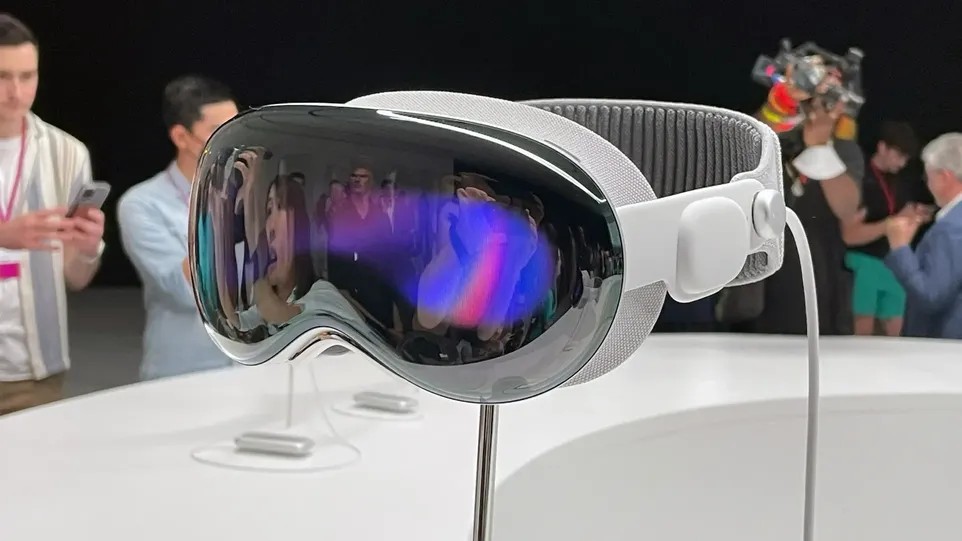
The Apple Vision Pro represents the pinnacle of spatial display engineering, equipped with custom dual MicroOLED displays packing an extraordinary 23 million pixels across both eyes. Powered by the M2 and R1 chips, Apple's flagship headset delivers unmatched clarity, color fidelity, and dynamic range. For discerning adult VR viewers on xMonter.com, the Vision Pro provides an unparalleled 8K 60fps viewing experience when paired with visionOS-optimized media players.
Below is a detailed guide on how to configure visionOS Safari, WebXR flags, and dedicated spatial video players to unlock native 8K VR streaming on your Apple Vision Pro.
Apple Vision Pro 8K Spatial Video Hardware Overview
| Hardware Spec | Apple Vision Pro 8K Playback Details |
|---|---|
| Display Panels | Dual MicroOLED (23 Million Pixels, 90Hz/96Hz/100Hz refresh) |
| Processor Architecture | Apple M2 + Custom R1 Sensor Co-Processor (Real-Time 8K Stream) |
| Operating System | visionOS 2.0+ (Native Spatial WebXR & HEVC MV-HEVC) |
| Primary Web Browser | visionOS Safari with WebXR Feature Flags |
| Native Media Apps | Moon Spatial Player, Skybox VR (TestFlight/visionOS), Reality Player |
Method 1: Streaming 8K WebXR Directly via visionOS Safari
Apple's native Safari browser on visionOS includes robust WebXR capabilities. Follow these steps to stream 8K VR videos directly on xMonter.com:
- Open Settings on your Apple Vision Pro and select Apps → Safari → Advanced → Feature Flags.
- Enable WebXR Device API, WebXR Hand Input, and WebXR High-Fidelity Layers.
- Launch Safari, visit xMonter.com, and browse to any 8K 180° 3D scene.
- Pinch and select the Enter Spatial VR button to expand the video into an immersive 180-degree dome around your field of view.
Method 2: Enhanced Playback using Moon Spatial Player
For users seeking custom aspect ratios, lighting dimming, and spatial audio enhancement, Moon Spatial Player offers a top-tier native visionOS experience:
- Download Moon Spatial Player from the App Store on visionOS.
- Paste direct video URLs or stream local SMB network shares from xMonter.
- Select 180° 3D Side-by-Side mode and enjoy zero-latency 8K playback with MicroOLED pitch-black contrast.
Frequently Asked Questions (FAQ) About Apple Vision Pro 8K VR
Does Apple Vision Pro support 8K VR video streaming?
Yes. Apple's M2 processor handles 8K HEVC/H.265 video streams with ease, rendering razor-sharp 180° 3D content on its dual MicroOLED screens.
Why is Apple Vision Pro superior for watching adult VR on xMonter?
The self-emissive MicroOLED panels produce absolute blacks, infinite contrast, and unmatched pixel density, making skin textures and lighting look hyper-realistic.
Do I need physical controllers to navigate xMonter on Vision Pro?
No. Apple Vision Pro relies entirely on precise eye-tracking and hand pinch gestures to navigate menus and control video playback.